Better situational awareness for ship operators
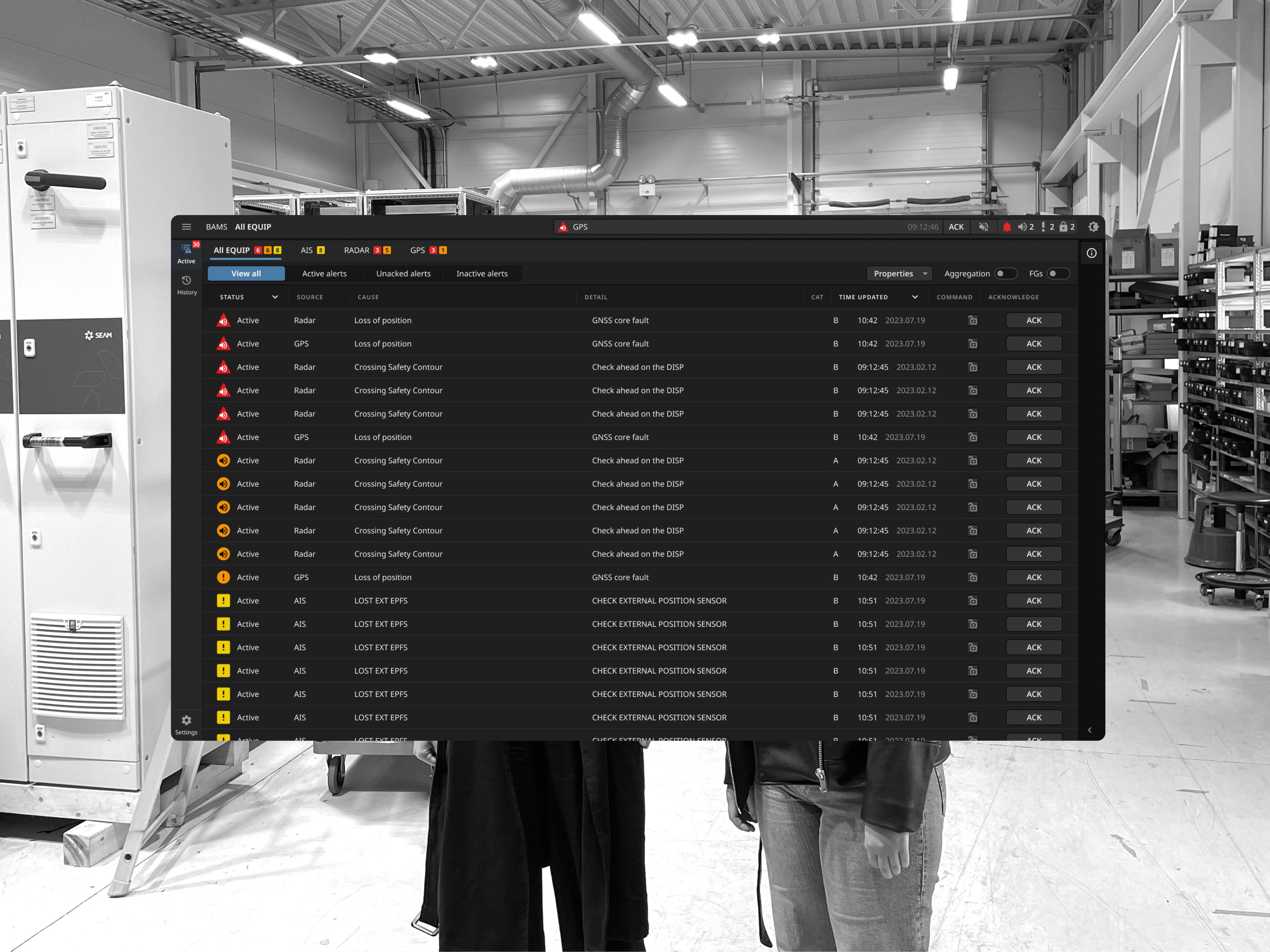
SEAM is a company that provides zero-emission solutions for the maritime industry. We designed the interface for a new and innovative alarm system called Bridge Alert Management System. We were responsible for project management, insight and analysis, structure, prototyping and documentation.
Context
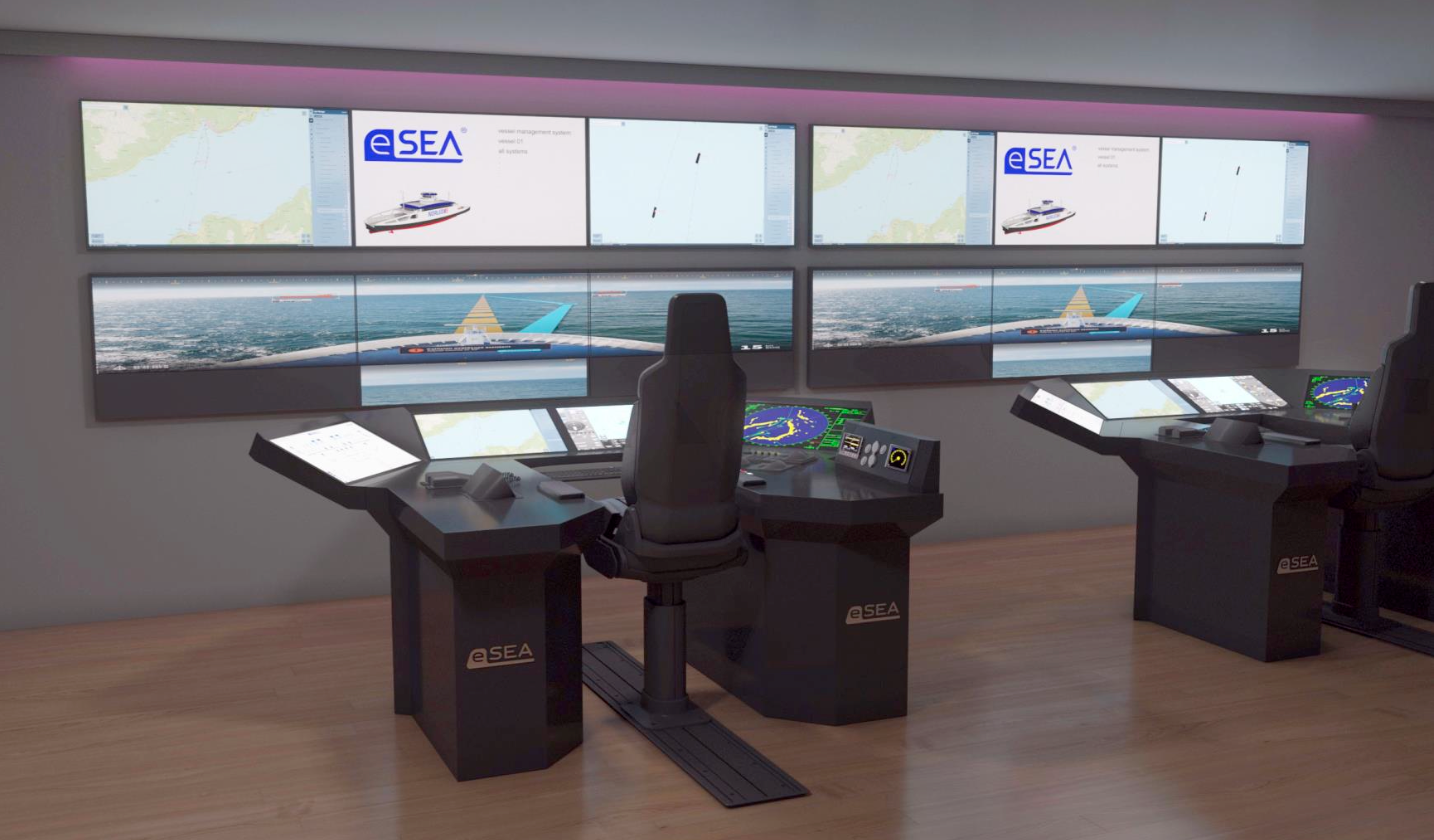
Bridge Alert Management System (BAMS) is a new alarm system that is supposed to give ship operators quick situational awareness on the bridge, and it will be useful on autonomous ships where alarms are necessary. The system will first be introduced on the bridge, but in the future, it will also play an important role on completely unmanned ships, where information from external control rooms needs to be integrated into the system.
Goal
The system should give instant situational awareness and allow the ship operators to identify active alerts and their severity. The alerts should be grouped by severity and new alerts must be signified by sound and blinking.
We followed the requirements from the Norwegian Electrical Committee (NEK) and for reference we have looked at the instruction manual from Japan Radio Co. (JRC), while challenging the system and looking for alternative solutions.
Design process
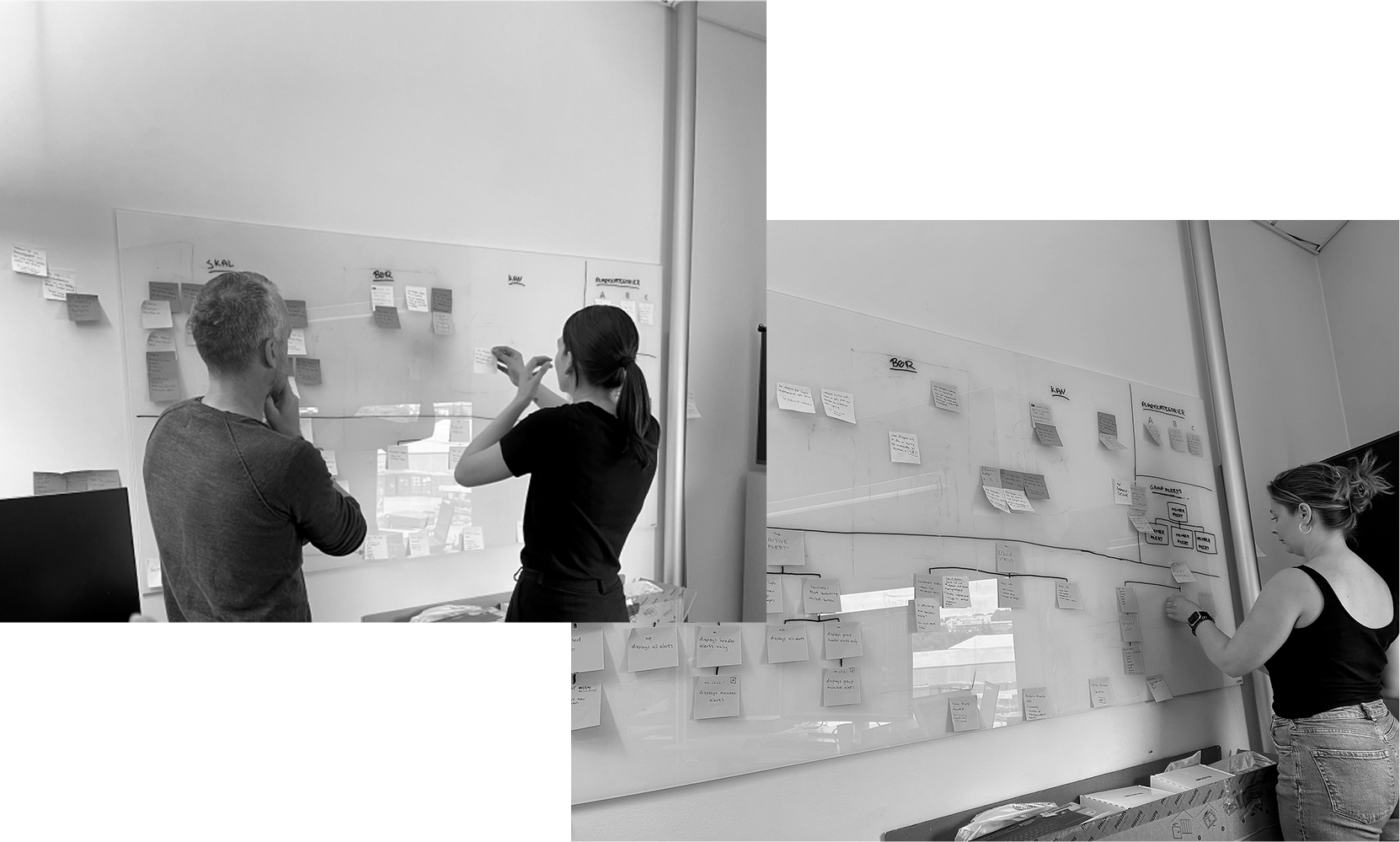
1) Workshop at SEAM
Together with an engineer from SEAM, we analyzed the NEK requirements and created an interface specification based on these. This was helpful in order to discover the most important functions of the system.
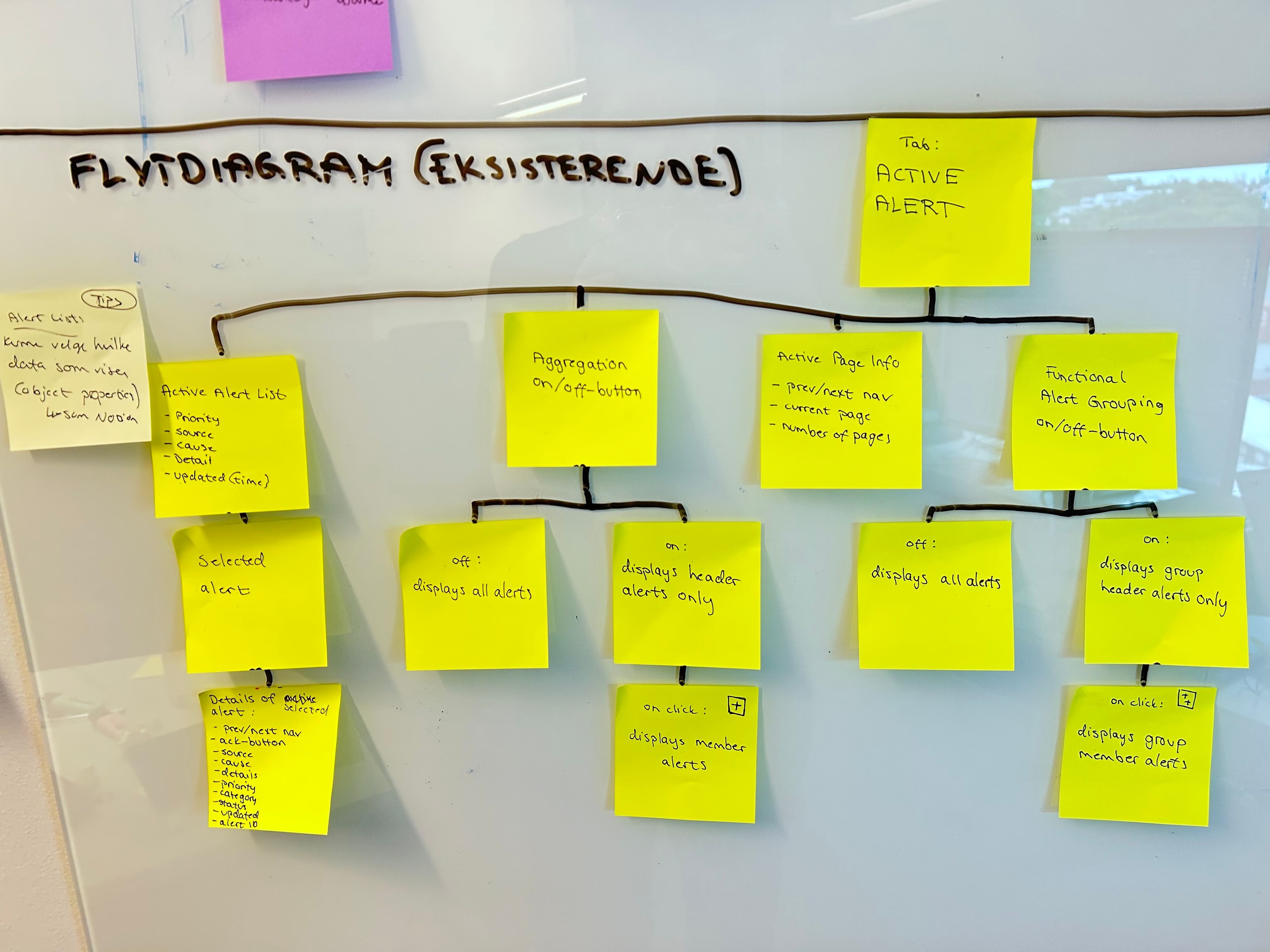
2) Existing flow
During the workshop, we also mapped out the application structure based on the existing system from JRC.
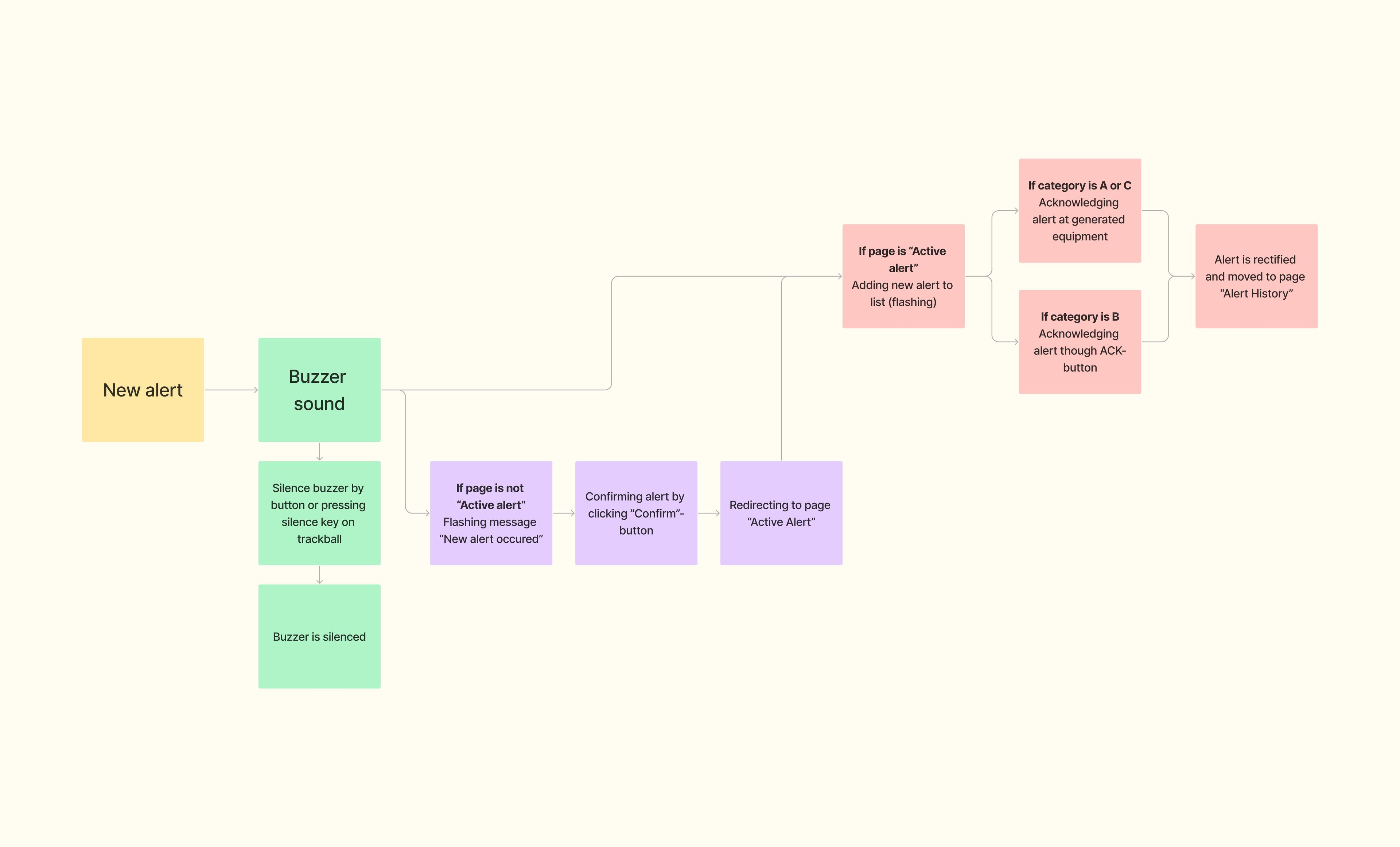
Additionally, we looked at how new alerts are confirmed and acknowledged, as documented in the instruction manual for the existing system from JRC.
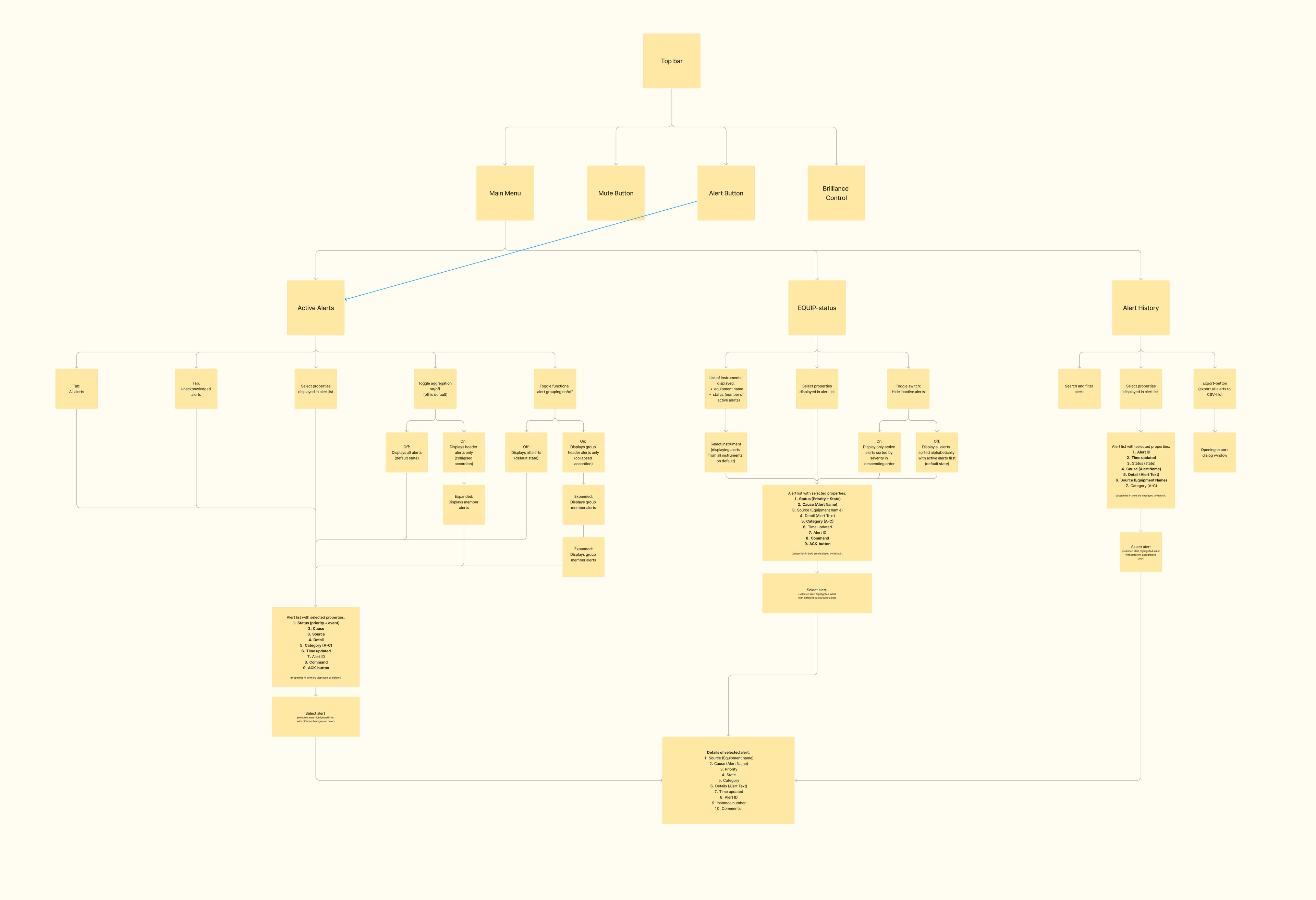
3) Improved flow
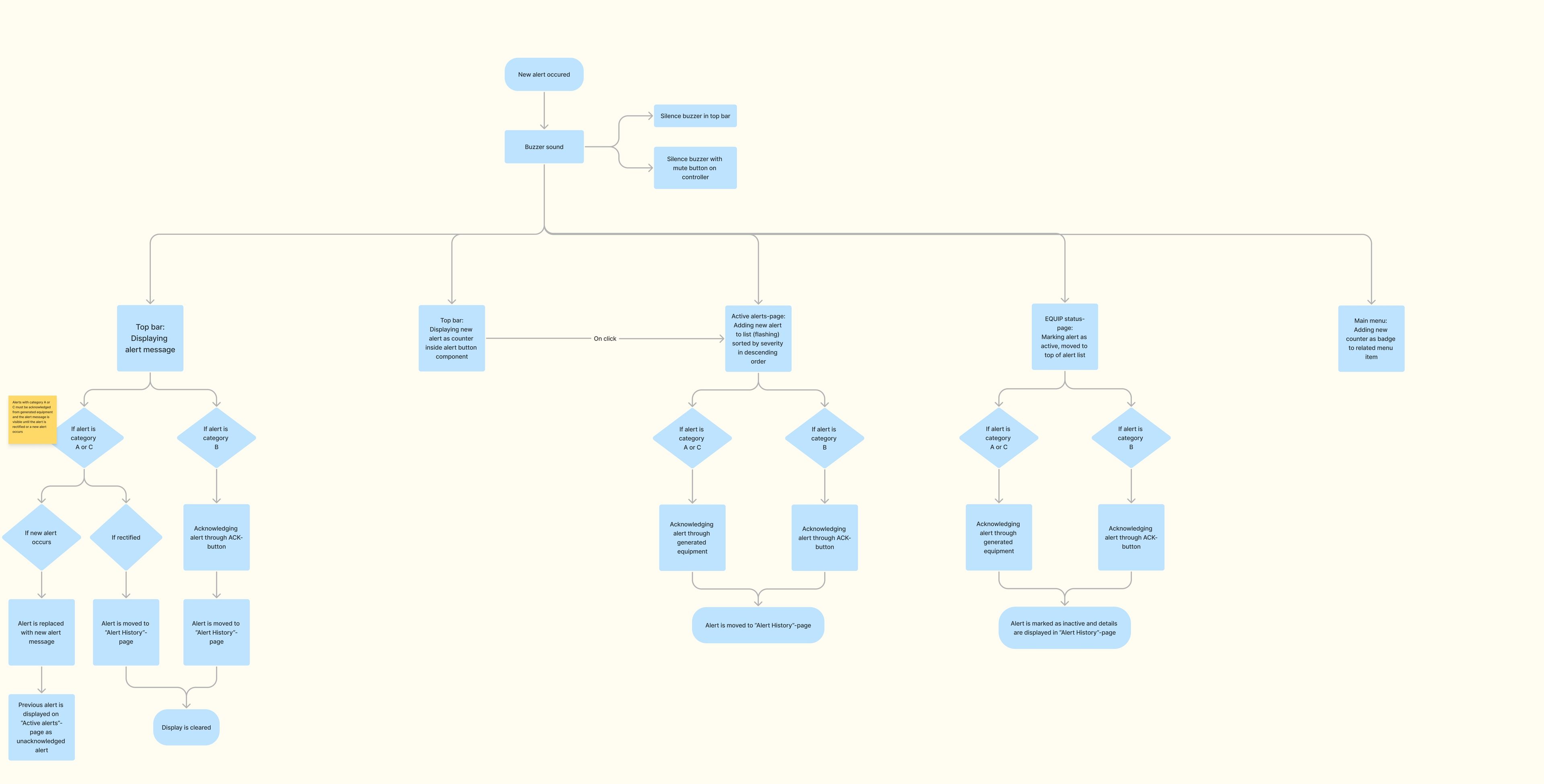
When mapping out the existing structure, we found opportunities for improvements which we implemented into a new map displaying a revised application structure.
We also made a new and improved flowchart of acknowledging and displaying new alerts.
4) Wireframes
Based on the flowcharts, we started drawing wireframes on paper, exploring different variations and ways of structuring the information and actions on each page.
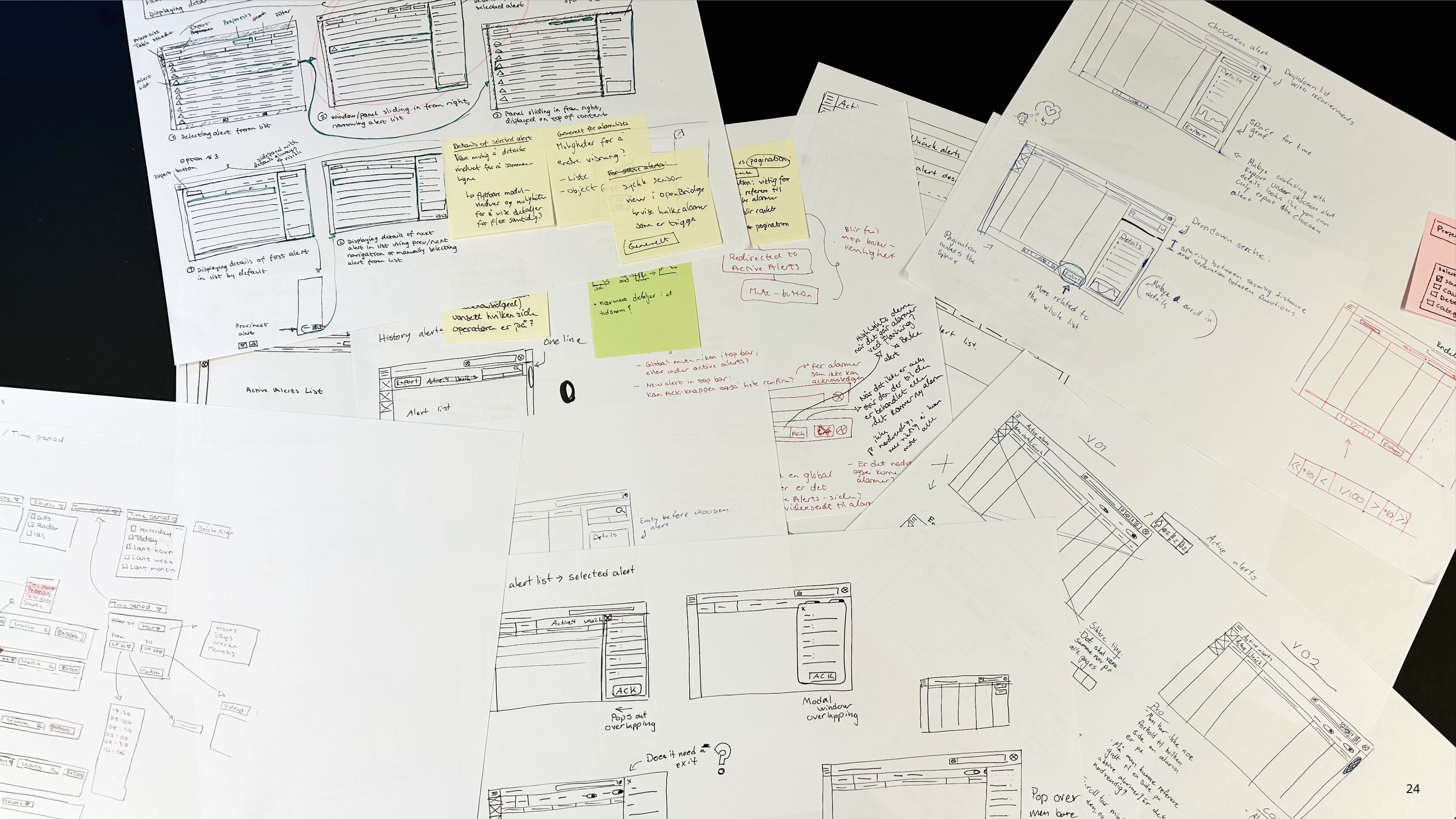
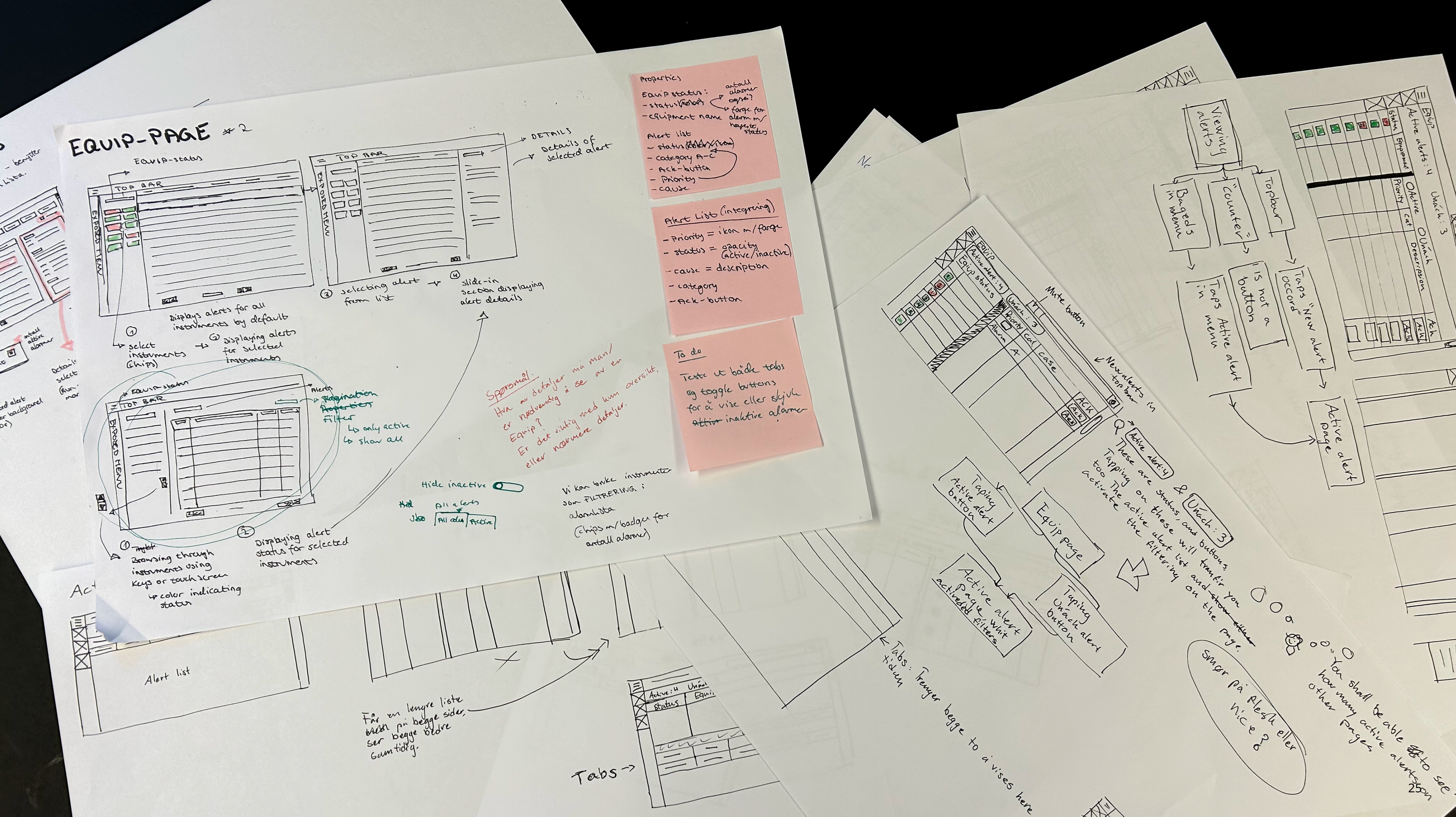
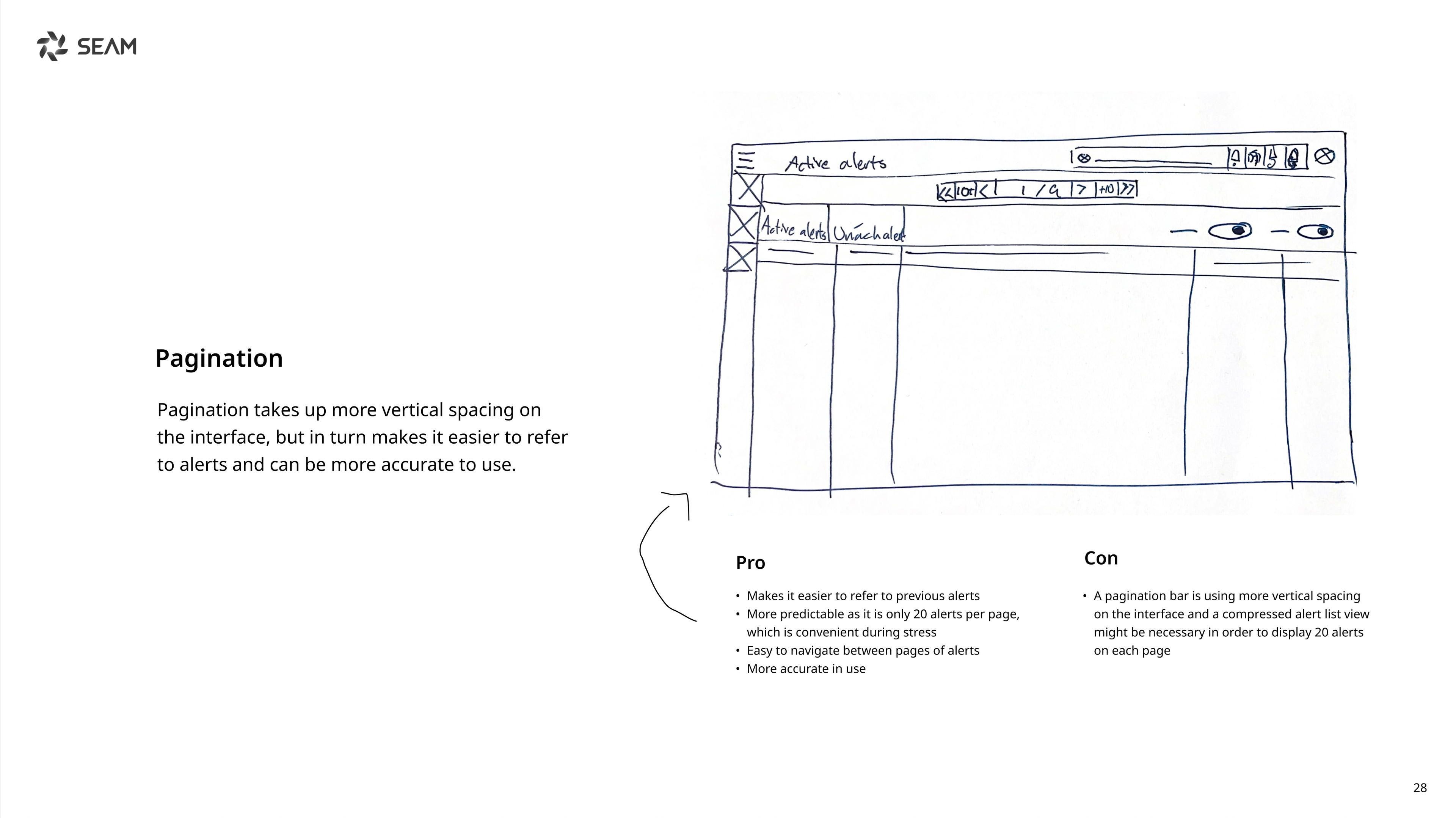
While sketching we wireframes, we also discussed whether the interface should use scrolling or pagination for displaying more alerts.
Using a scrollbar to see more alerts can feel natural because it is widely used across other applications. However, a scrollbar used on large monitors might be imprecise since it is easy to scroll further up or down than intended.
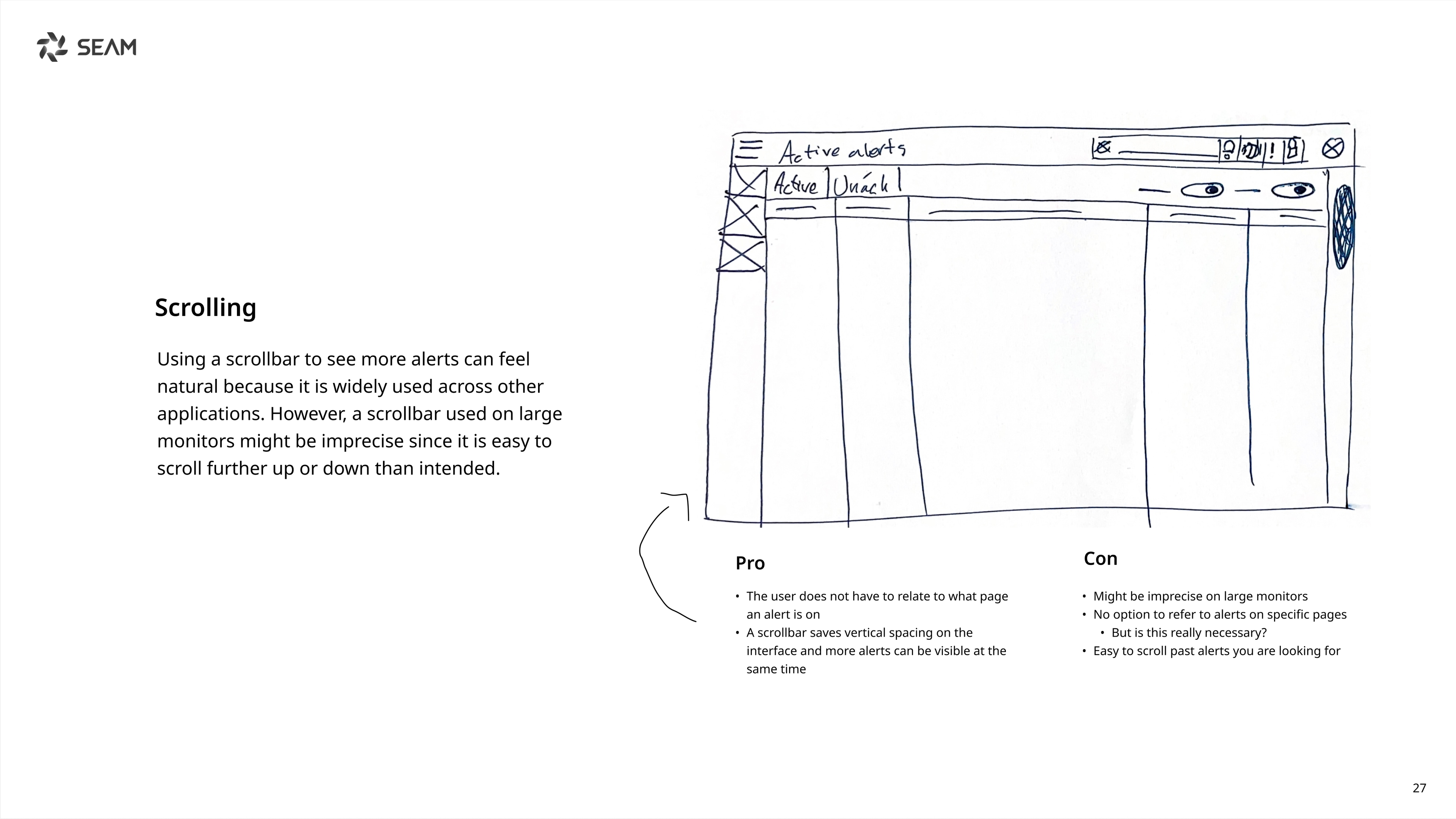
Pagination takes up more vertical space on the interface, but in turn makes it easier to refer to alerts and can be more accurate to use.
5) Prototype
We designed the interface using the design system OpenBridge 5.0 – available in the color palettes day, dusk and night.
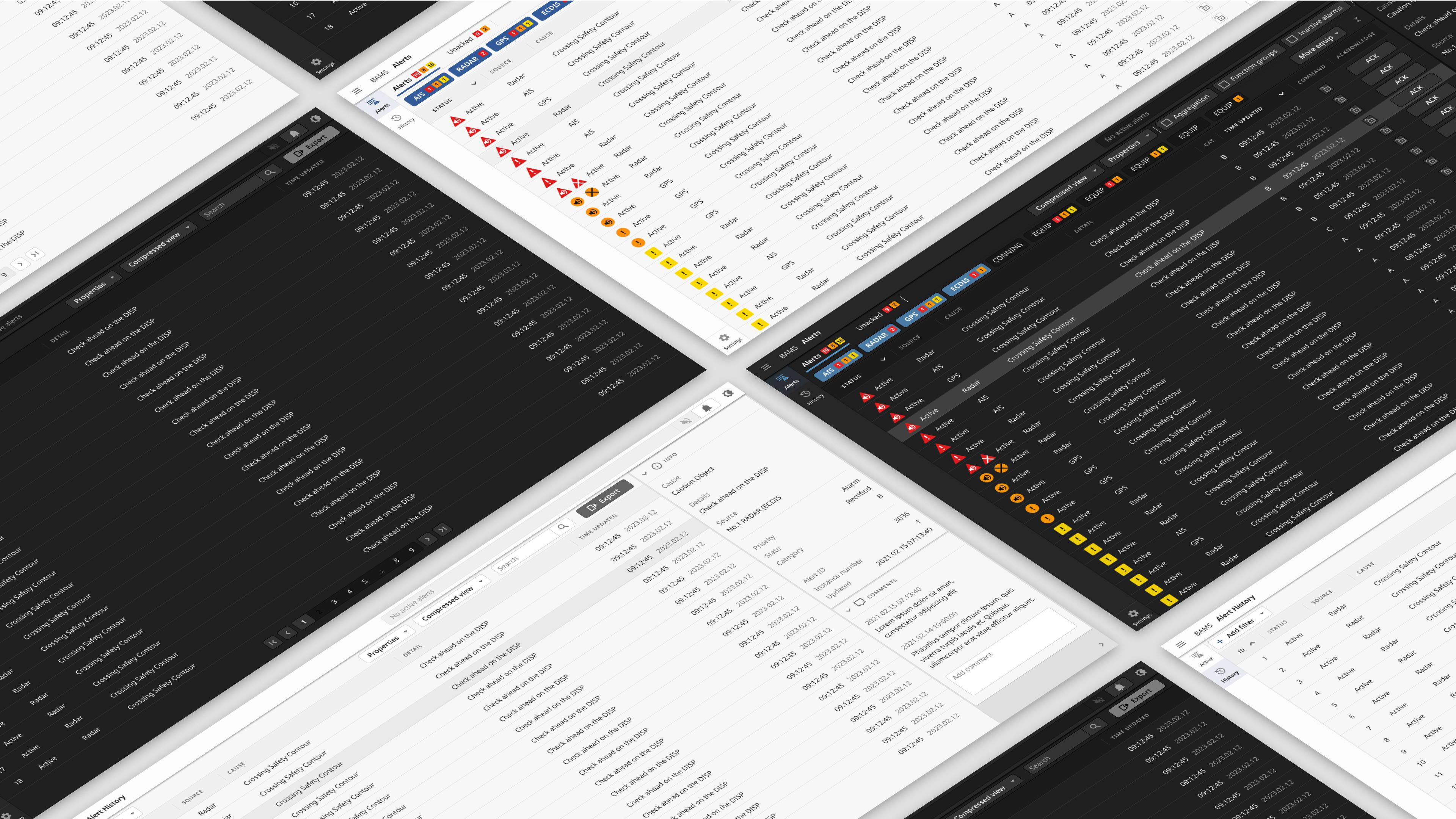
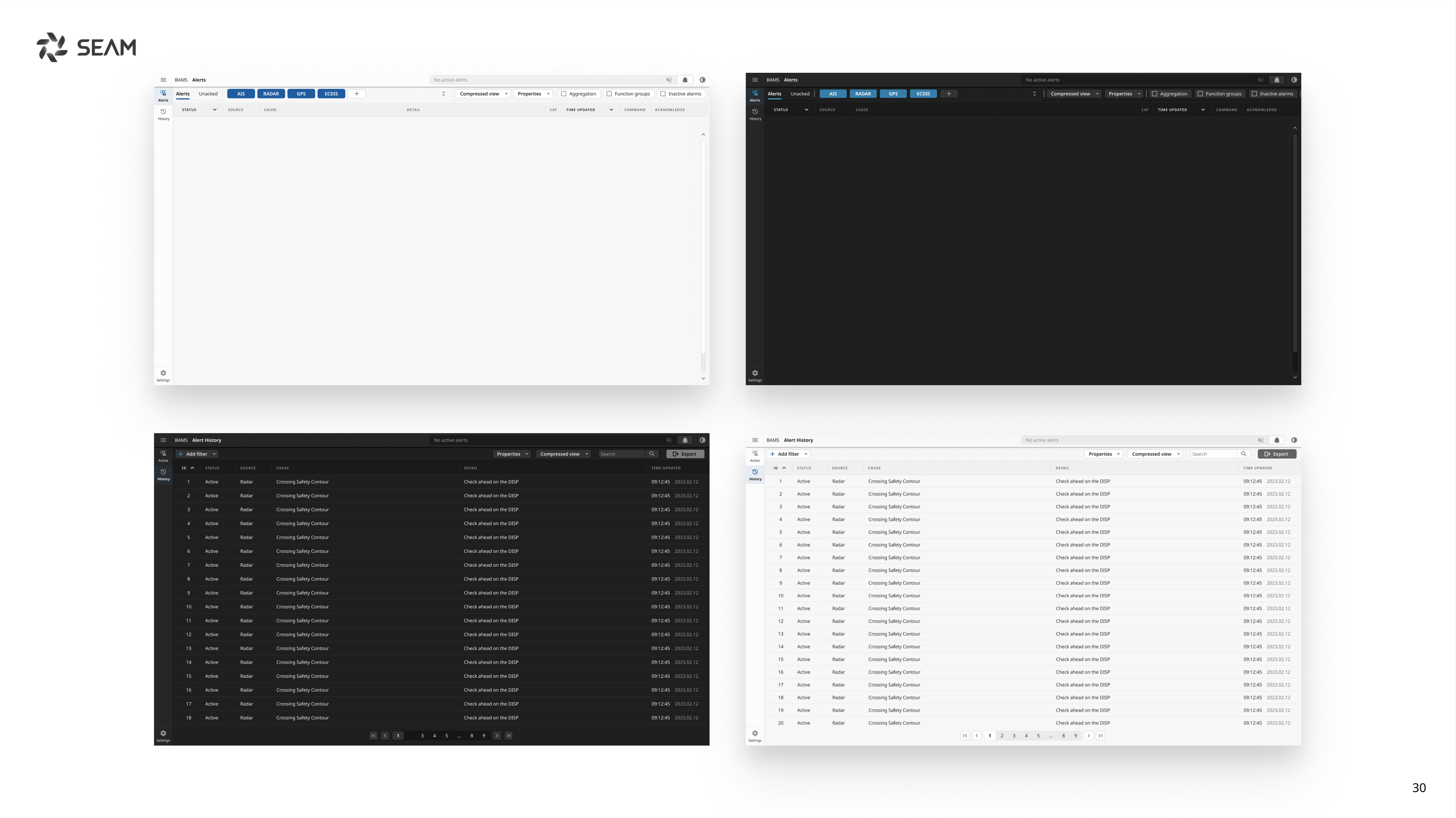
We are not allowed to go into full detail about the result.
Delivery
The delivery included a clickable prototype in Figma based on the OpenBridge 5.0 design system, and a design rationale presenting the proposals. Together, this helped SEAM with further development of the system.